Diablo II: Resurrected v1.3.70409 (v2.4.3)
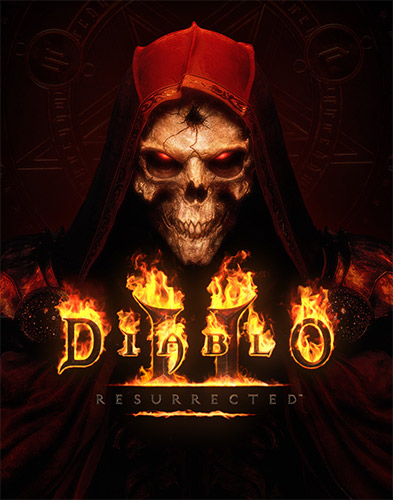
Genres/Tags: Action, RPG, Horror, Isometric, 3D
Companies: Blizzard Entertainment, Vicarious Visions
Languages: RUS/ENG/MULTI13
Original Size: 37.8 GB
Repack Size: from 18.3 GB
Download Mirrors
[magnet]
Screenshots (Click to enlarge)


How to Download & Install Diablo II: Resurrected
- Click the magnet button shown above the screenshots and you should be redirected to Utorrent.
- Download and then there is torrent file came.
- Now download Utorrent.
- Open downloaded torrent file in Utorrnt.
- Find storage for game and then click ok.
- Now your game start downloading.
- After downloaded setup the file.
- Now,enjoy the game.
Repack Features
- Based on Battle.net Store v1.3.70409 proper MULTi13 release: 37.8 GB
- Offline/LAN crackfix by Blizless (29 MB) applied over
- 100% Lossless & MD5 Perfect: all files are identical to originals after installation (ONLY when installed with all components!)
- NOTHING ripped, NOTHING re-encoded
- Selective Download feature: you may skip downloading and installing of Classic Videos (old-render style) and voiceover packs you don’t neet; English VOs are included by default and can be played with any UI/text language
- Significantly smaller archive size (compressed from 37.8 to 18.3~30.3 GB, depending on selected components)
- Installation takes 15-60 minutes (depending on your system and selected components)
- After-install integrity check so you could make sure that everything installed properly
- HDD space after installation: 37.8 GB (44 GB during installation)
- Language can be changed by running REG-files in “_Language Switcher” folder
- Using REG-files from “With English Voiceovers” subfolder you can play in your text/UI language and English voiceovers; you can make your own text/audio pairs by editing those REG-files
- Repack uses XTool library by Razor12911
- At least 2 GB of free RAM (inc. virtual) required for installing this repack
- Repack by FitGirl
In-game Download Feature
The game incorporates in-built data downloader, which downloads missing data (such a voiceovers for the language you didn’t install) when online. Those downloads are done on per-request basis and make data packs rebuilt by CASC filesystem engine. Be advised, that some languages, like Japanese, contain their own videos of a several hundred MBs in size each, so if you don’t install Japanese language pack and will wait for download – it will take some time. If the game is blocked in your firewall or you’re completely offline, no in-game downloading will happen and you will hear silence.
Post a Comment